How to read these diagrams
Each hosting type is described by two complementary views, and they do not answer the same question.
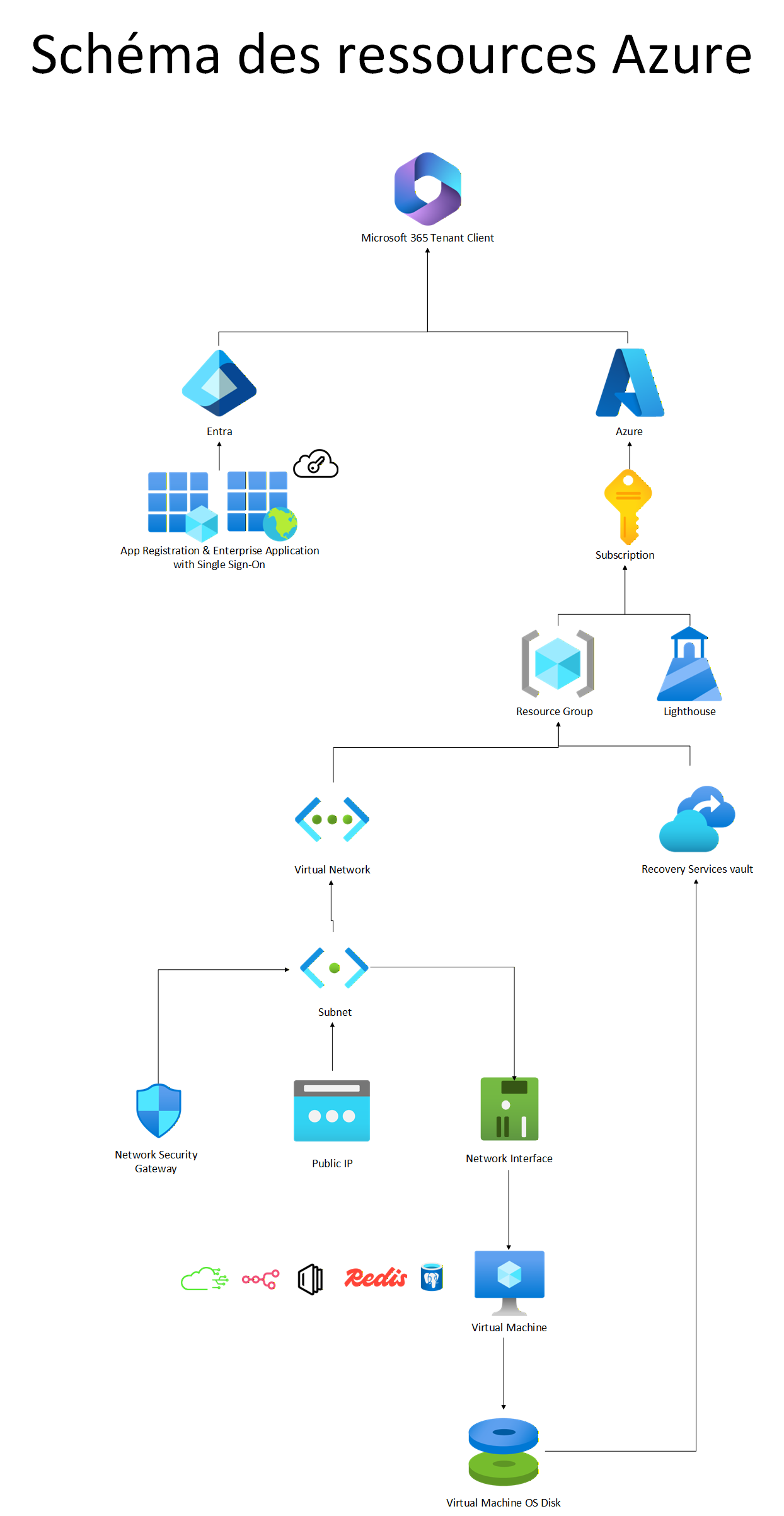
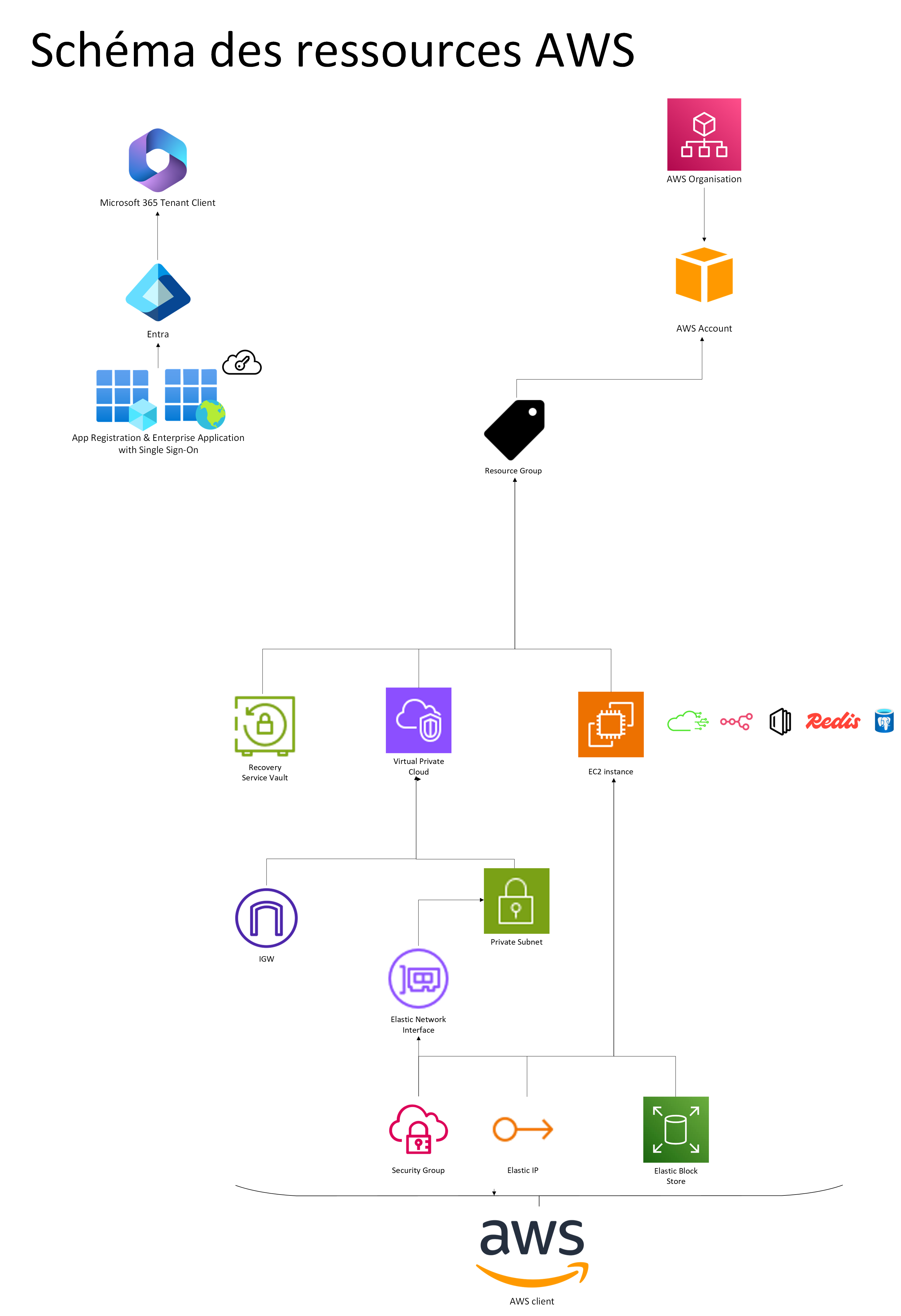
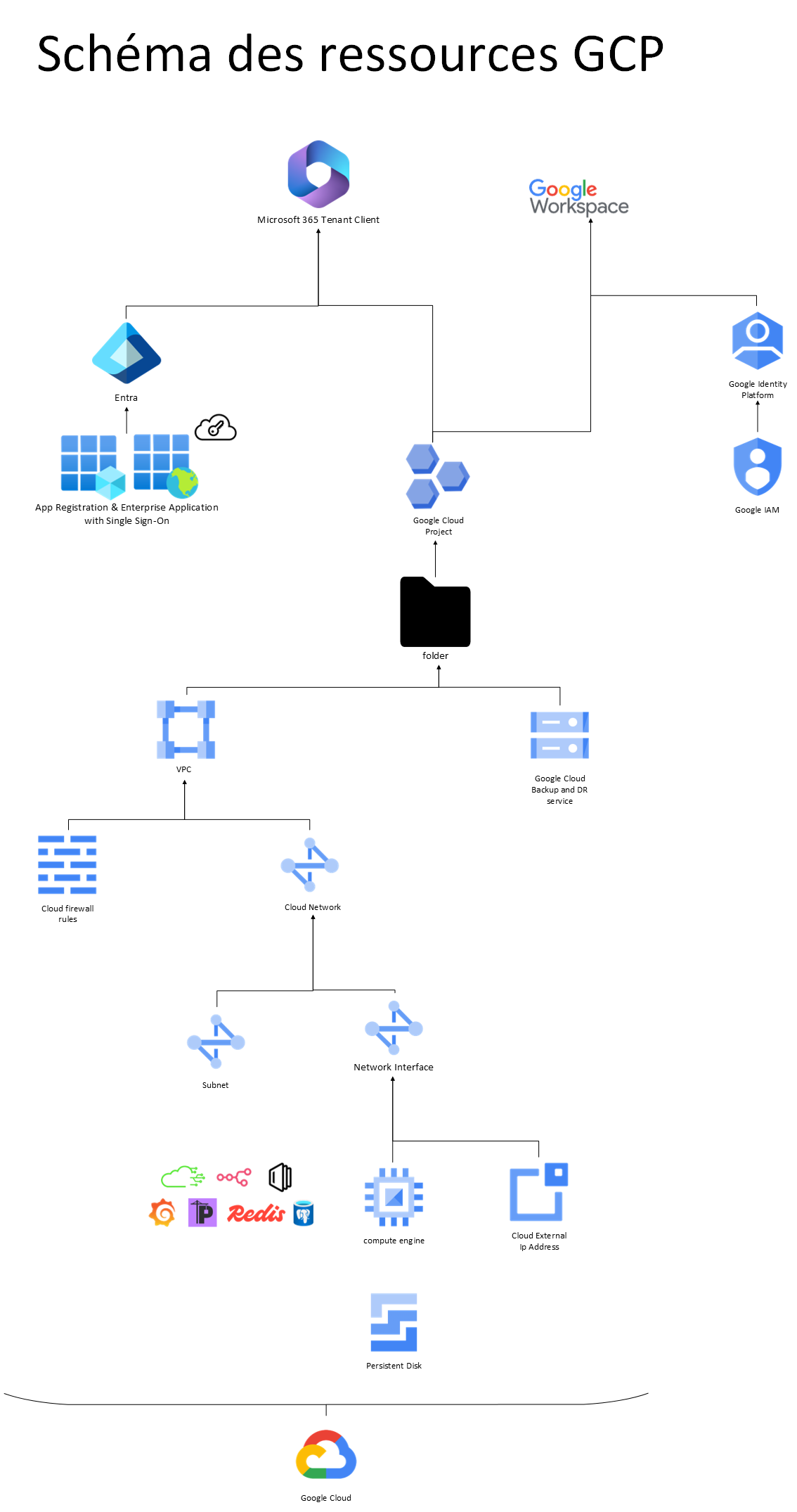
The resource diagram shows what gets created in your cloud account: the tenant, the app registration used for single sign-on, the subscription, the resource group, the application virtual machine and the backup vault. This is the view to hand to whoever approves cost and access rights, because it enumerates exactly what will be billed and what has to exist before installation.
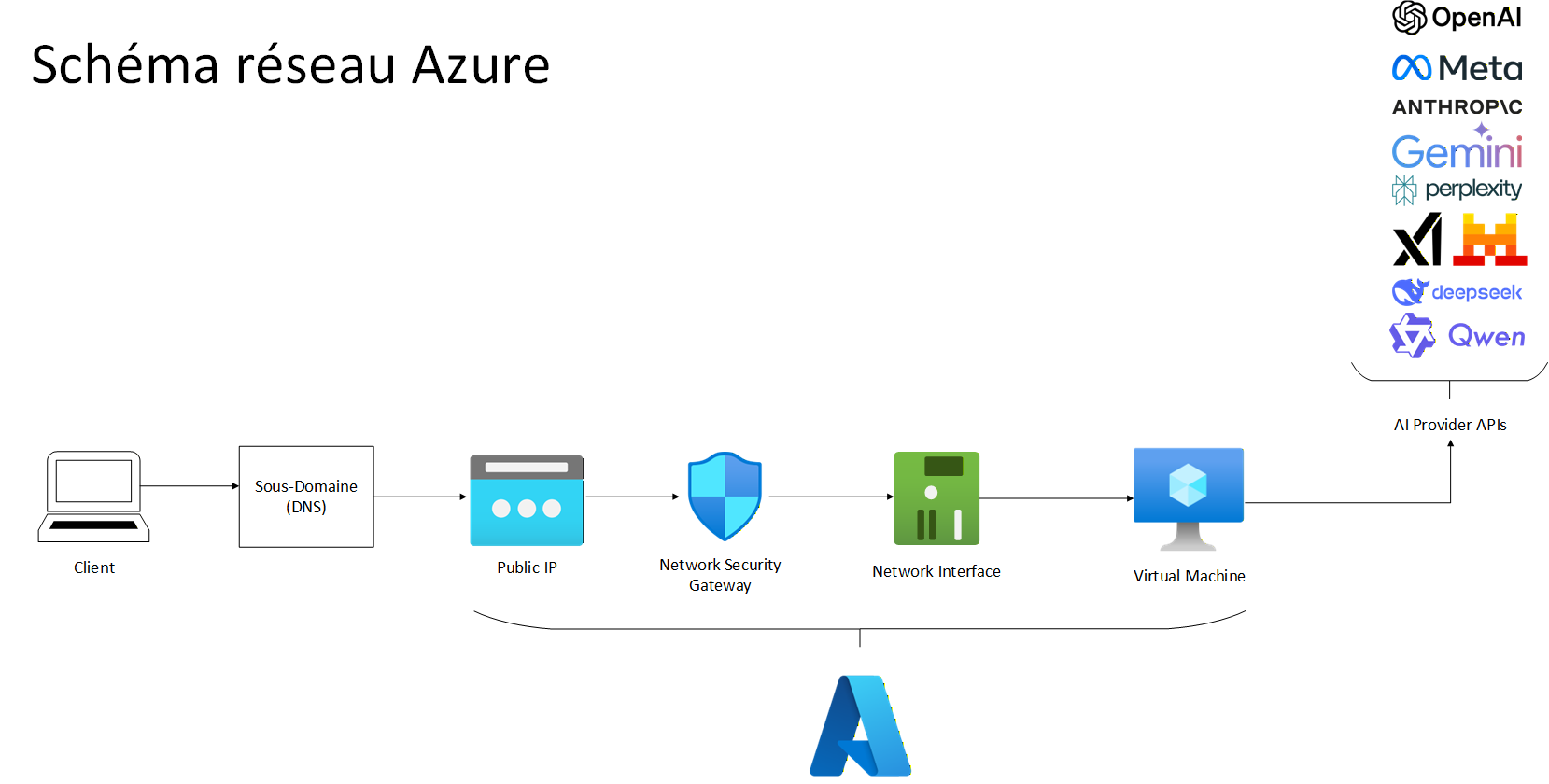
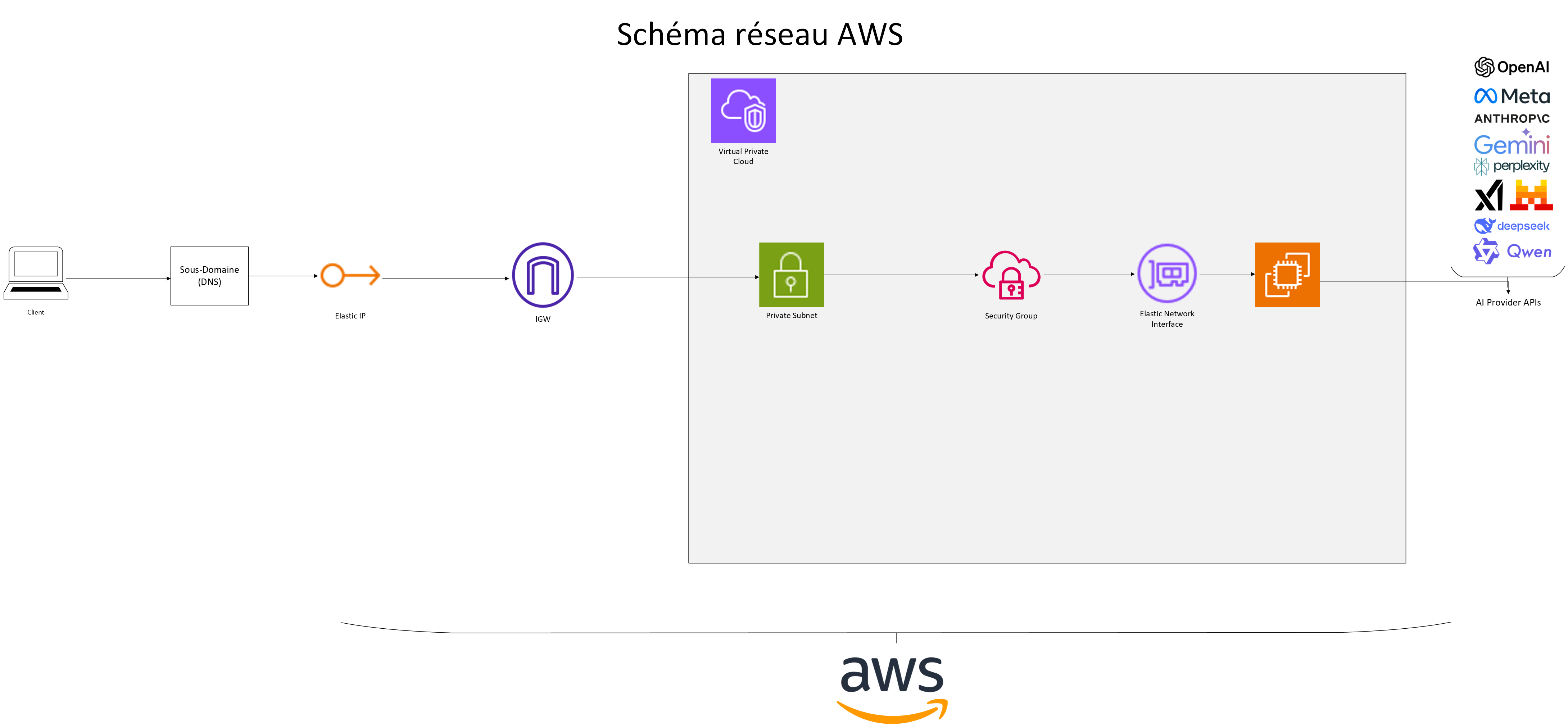
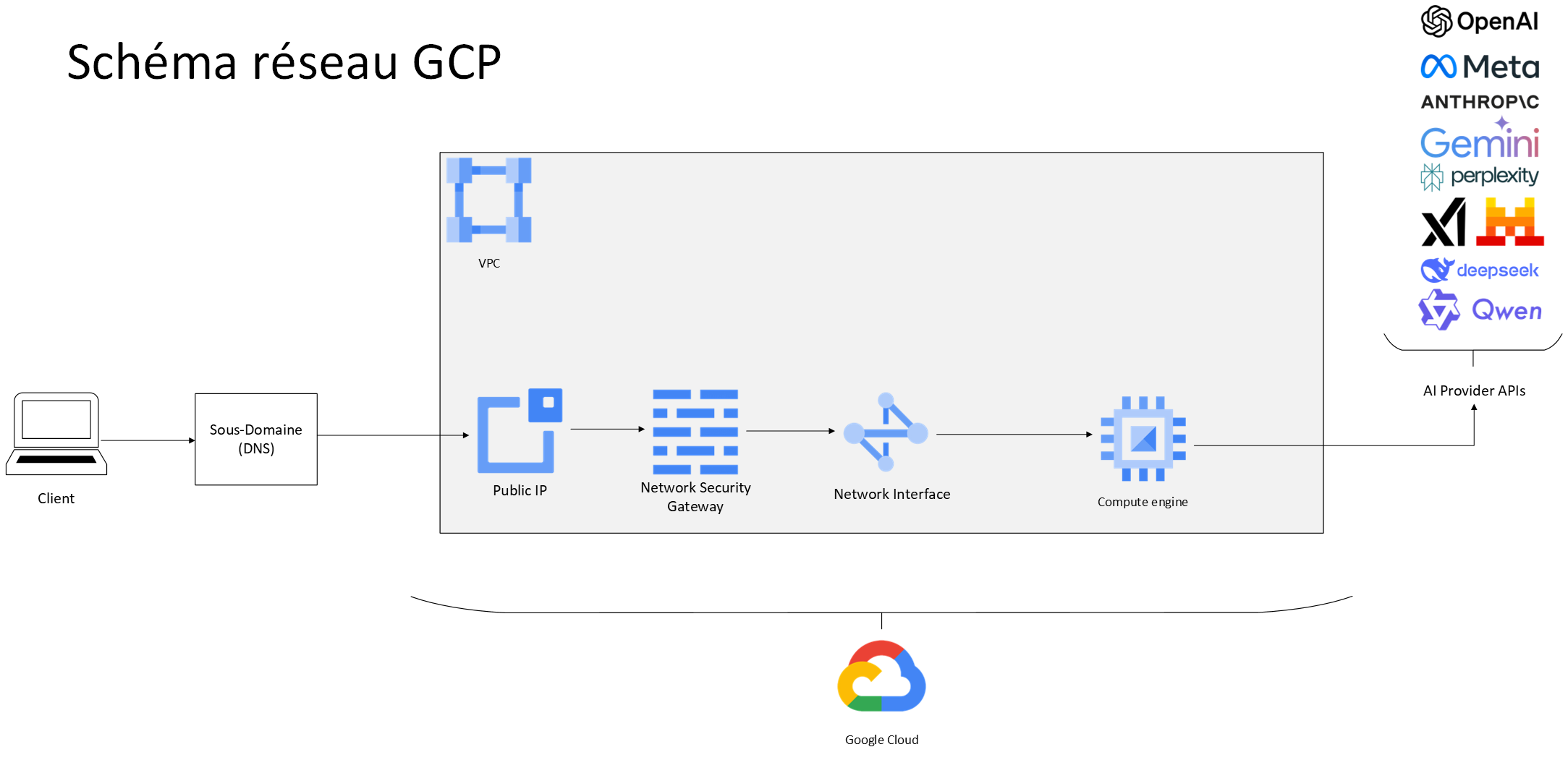
The network diagram shows the path a request takes from the Internet to the application machine, and the filters it crosses on the way. This is the view for the network or security team: open ports, TLS termination and public exposure are all argued from this picture.
Which one applies to you
Take the pair matching the environment where Hilo Tech will install your instance — you do not need the others. If you have not chosen yet, each hosting provider's requirements page lists what has to be prepared, and that is usually what settles it: the decision is made far more often on what your organization already owns and on its internal rules than on a technical difference between the three.
These diagrams describe the reference configuration. A real installation may depart from it — an existing network, naming constraints, a mandated region — and that is expected: they are the starting point for the conversation, not a contract.
Microsoft Azure
Resource diagram
Network diagram
Amazon Web Services (AWS)
Resource diagram
Network diagram
Google Cloud (GCP)
Resource diagram
Network diagram
Other environments
Need a hand?
Our team can walk through these steps with you in a meeting with screen sharing.